Ctrl + Shift + V
Save to a file
Save to the open File Explorer folder or a folder you choose. QClipper detects TXT, JSON, XML, CSV, HTML and Markdown.
Save images as PNG, JPEG, BMP or TIFF. You can also enable Base64 decoding for PDF, JPEG and PNG.
 QClipper
Windows clipboard utility
QClipper saves clipboard content to files and pastes transformed text into the active app. Use a separate keyboard shortcut for each action.
Get it from Microsoft Store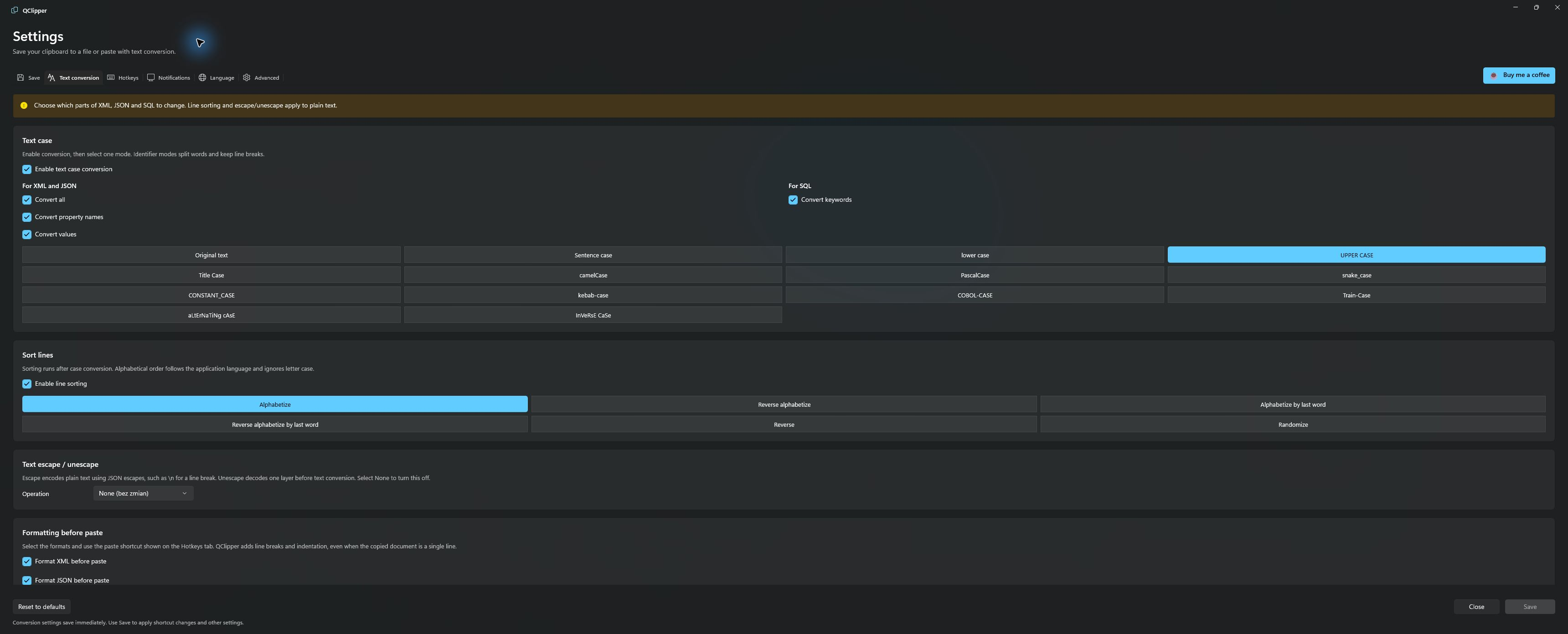
Ctrl + Shift + V
Save to the open File Explorer folder or a folder you choose. QClipper detects TXT, JSON, XML, CSV, HTML and Markdown.
Save images as PNG, JPEG, BMP or TIFF. You can also enable Base64 decoding for PDF, JPEG and PNG.
Ctrl + Alt + V
Change case, sort lines, and escape or unescape plain text. Format JSON, XML and SQL before pasting.
Choose whether to convert names, values or both in JSON and XML. For SQL, you can change the case of keywords.
Customize both shortcuts in Settings. The QClipper icon in the Windows notification area lets you toggle text conversion. The app is available in English and Polish.